▚
A bar that floats over any call
Start recording from a small always-on-top bar. It sits on top of your meeting — you never have to switch apps or interrupt the conversation.
Astrix Desktop records your real meetings, scores how you led against your competency framework, and links straight to simulations to practise what to improve — all from a floating bar on your Mac or PC.
Free to start, no credit card required, works with Zoom, Meet & Teams
Rather talk it through first? Book a call with the founder →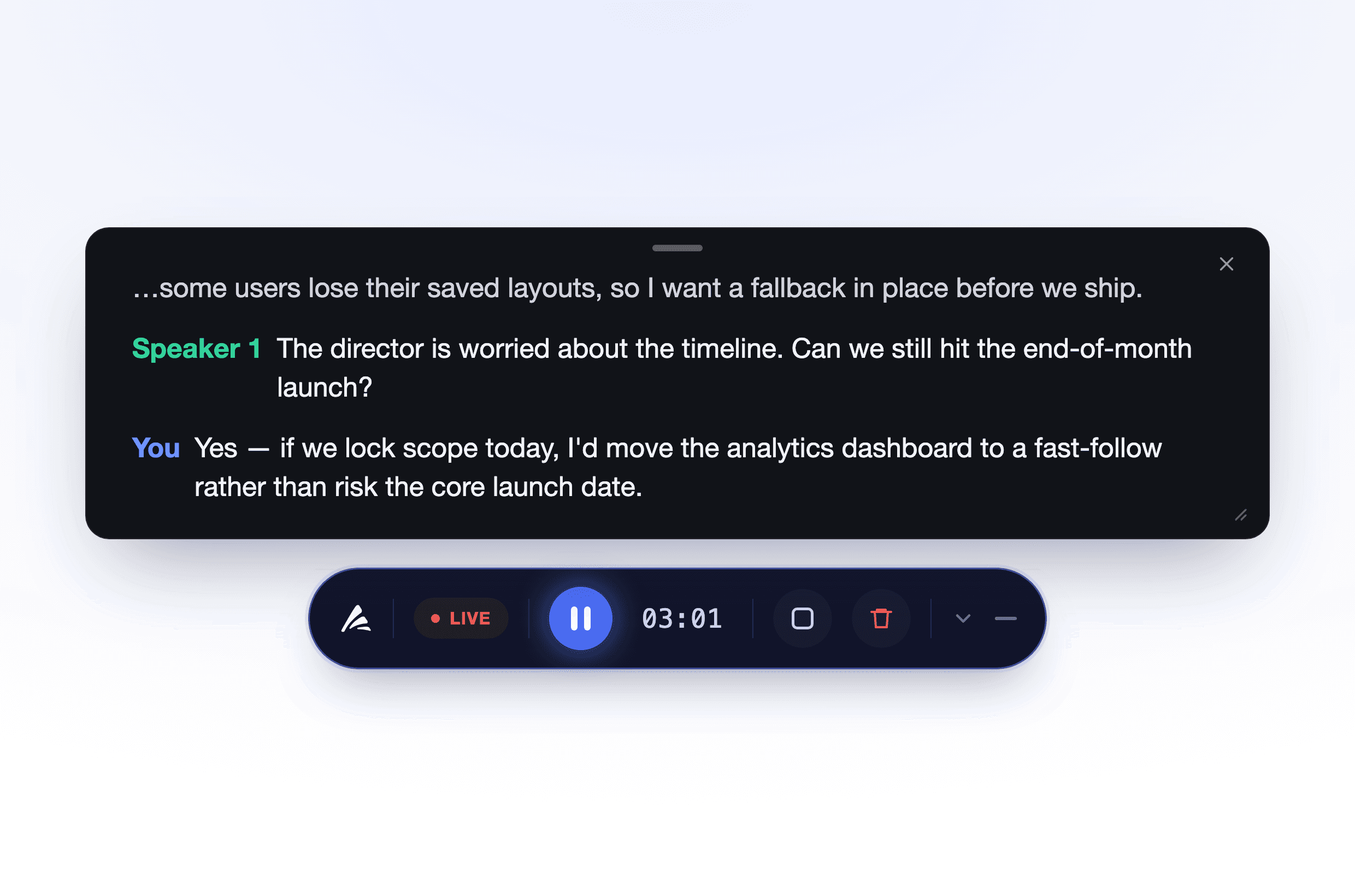
Start recording from a small always-on-top bar. It sits on top of your meeting — you never have to switch apps or interrupt the conversation.
Recording happens on your own computer. Nobody sees a stranger pop into the call — it stays your meeting, captured privately.
Your voice and the room are captured separately, so your transcript is speaker-aware and your score reflects only how you showed up.
Feedback is measured against the very same competencies your organisation already uses across Astrix — not a generic template.
See a gap? Jump straight into an Astrix roleplay simulation and rehearse that exact skill before your next real meeting.
Zoom, Google Meet, Microsoft Teams, or even a phone call on speaker. If it plays on your computer, Astrix can measure it.
Most tools stop at a transcript. Astrix connects your real meetings to deliberate practice — the same skills, the same framework, on both sides of the loop.
Record an actual meeting and get a scorecard: where you led well, and where a competency slipped.
Step into an AI roleplay that targets exactly that skill, as often as you like — then bring it back to your next real meeting.
Click the floating bar as your meeting starts. A short notice lets the room know it's being recorded.
Talk as you normally would. Astrix quietly captures the conversation in the background — no bot, no interruptions.
Moments after you stop, open a Skills scorecard and the full transcript in Astrix.
Turn any weak spot into a simulation and rehearse it before it matters again.
Astrix ships with ready-made meeting types — sales calls, leadership 1:1s, negotiations, discovery calls — each scored on competencies like these. Start with ours, then tailor them to your organisation.
Want the skills tailored to your company's own framework?
Book a demoEvery finished meeting opens to a Skills scorecard — an overall score, a level from Foundational to Exceptional, and clear feedback per competency — alongside the full, speaker-labelled transcript.

Recording starts locally on your own computer — not by a third party sitting inside the call.
A recording notice can be played or confirmed at the start of every meeting, so consent is never a surprise.
What's stored and how notices work is controlled by a per-organisation policy — not by individuals.
Your meetings, transcripts and scores stay within your organisation's own space in Astrix.
Astrix Desktop runs on macOS and Windows, and works over any meeting that plays on your computer — Zoom, Google Meet, Microsoft Teams, or a call on speaker.
No. There's no participant to admit and nobody new appears in the meeting. Astrix captures the audio locally from your own machine.
Your meeting is scored against the competency framework your organisation already uses in Astrix — the same skills and rubric, applied to real conversations.
No. Only you are evaluated. Everyone else in the meeting is treated as context to understand what you were responding to.
When your report highlights a skill to work on, you can open an Astrix roleplay simulation that targets it — practise as many times as you like, then take it back into your next real meeting.
Your recordings, transcripts and scores live inside your organisation's space in Astrix and are governed by your organisation's policy.
Turn the meetings you already have into measurable, coachable skill — free to start.
macOS 12+ and Windows 10+